Tax-inclusive reference prices in CNY. Negotiable; the quotation reflects the selected configuration, quantity and delivery requirements. All products carry a 3-year warranty.
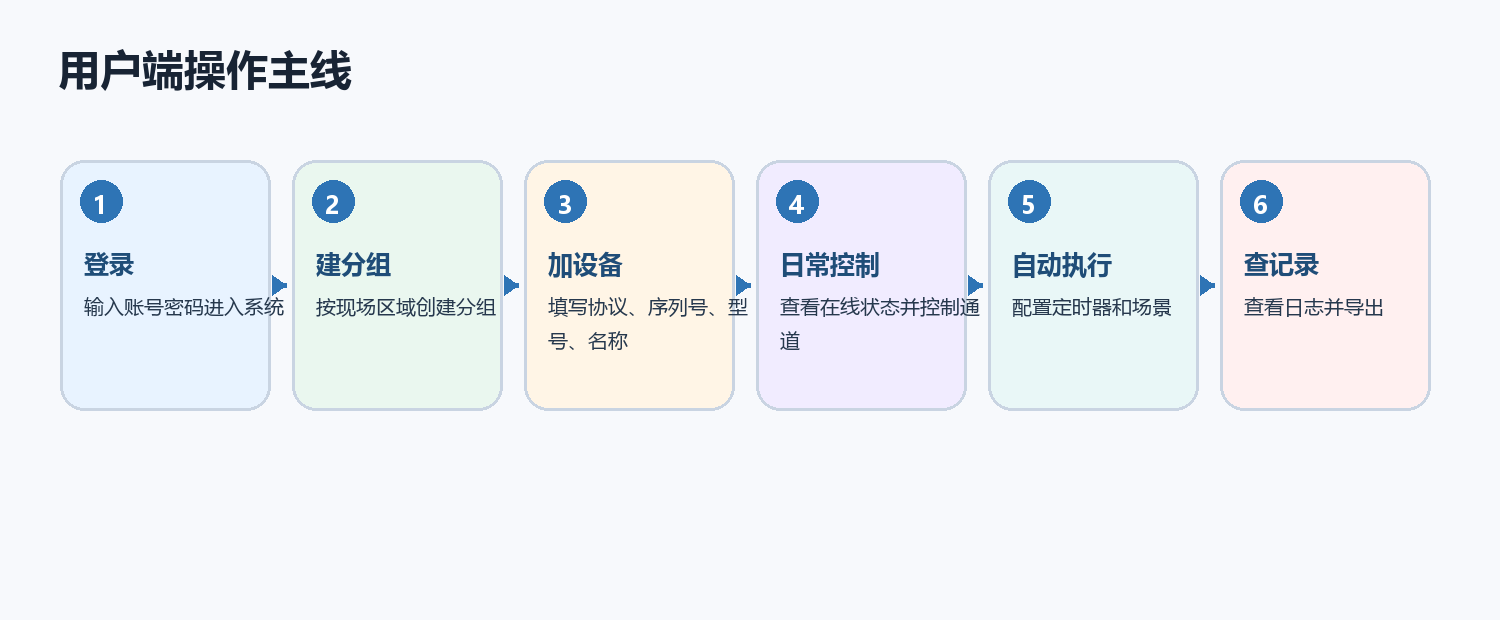
Centralized device management client for device groups, remote control, batch import, schedules, scenes, logs and account management.
Capability 01Device grouping by project, area or equipment type
Capability 02Remote switching and status visibility
Capability 03Schedules and scene control
Capability 04Logs and account management for maintenance workflows
Typical Applications
The page is written for engineering companies, system integrators, device manufacturers and B2B project procurement teams.
Device groupingRemote controlBatch managementEnterprise system integrationPrivate deployment projects
Selection Notes for B2B Projects
Integration GoalDecide whether the project needs an operator client, enterprise API integration, mobile access, dashboard display or private deployment.
Device ModelGroup devices by project, area, cabinet, circuit, sensor point, meter circuit and maintenance role for easier operation.
Data FlowUse status synchronization, control records, alarms and logs to connect hardware behavior with maintenance workflows.
Integration and Deployment
Device ModelName devices by project, site, cabinet, circuit and role so operators can find the correct object quickly.
Access ModelDefine operator roles, customer systems, device credentials and permitted control actions.
Data WorkflowConnect status, commands, alarms and logs with the maintenance and reporting process.
Deployment ScopePlan public access, private deployment, API integration and operational ownership as one architecture.
Platform Integration Notes
Platform functions can be combined with HTTP, MQTT, ThingsBoard, RS485 data access, operation logs and private deployment for enterprise and system integration projects.
The client centralizes device management while field hardware performs control and acquisition. Existing business systems can use platform API integration; local room operations can use RoomCtr.
Use the API to connect device data and control operations with a business system. Define business events, device models and data direction; use the platform client when an operator interface is required.
The local software manages room operations, billing and equipment linkage. Matched relay or infrared devices execute lighting, main-power and appliance commands, keeping business operations separate from hardware execution.
Smart lighting, industrial control, livestock IoT, campus equipment, energy monitoring and remote operations
Product integration and applications
01
Align device groups with the real site
The client organizes relays, IO, sensors, meters and weighing devices around the real site. Groups can follow organization, site, building, floor, room or equipment. Clear field names keep controls, measurements and logs associated with the same object and simplify multi-site collaboration and later equipment changes.
02
Turn routine operations into schedules and scenes
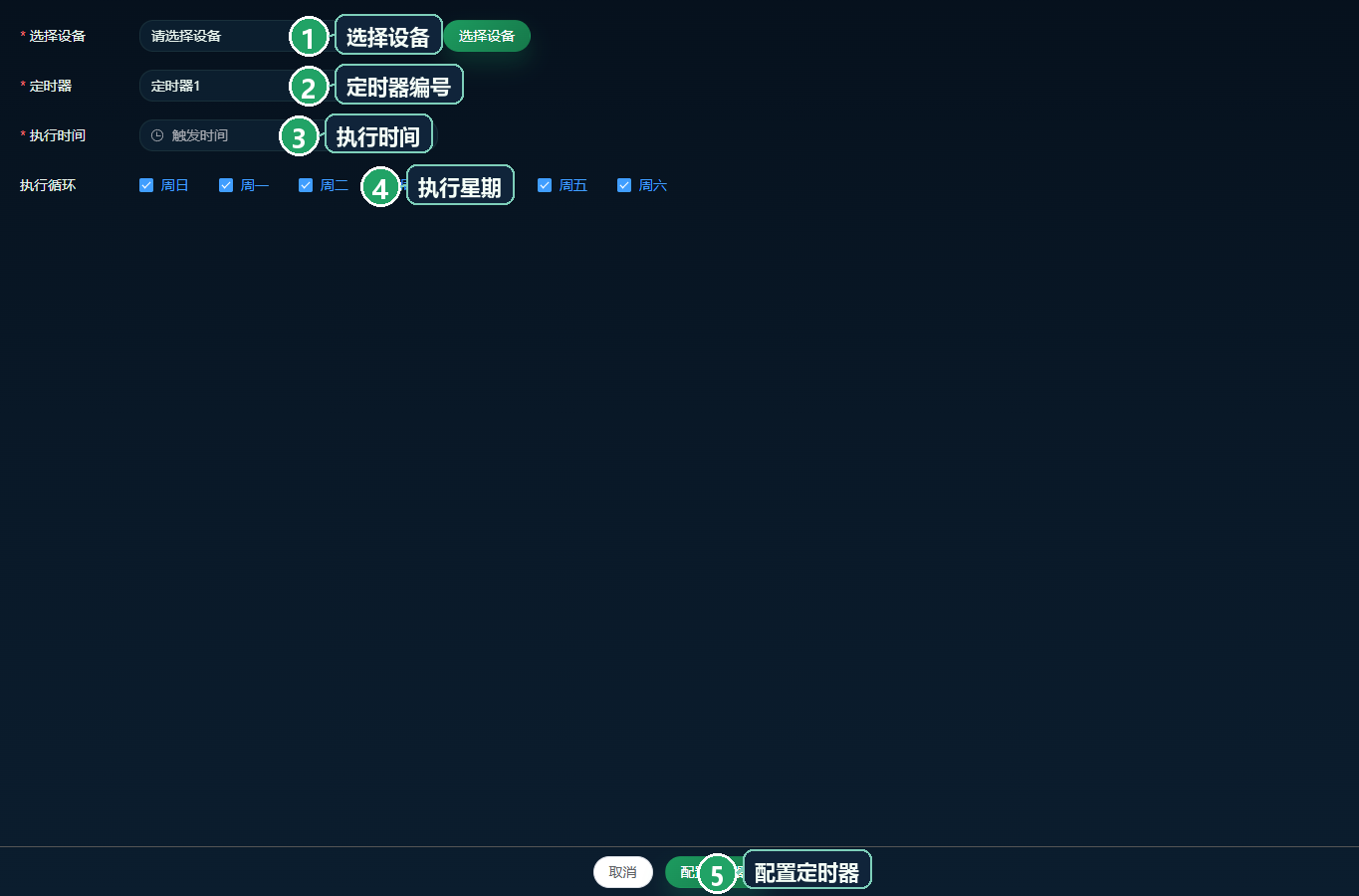
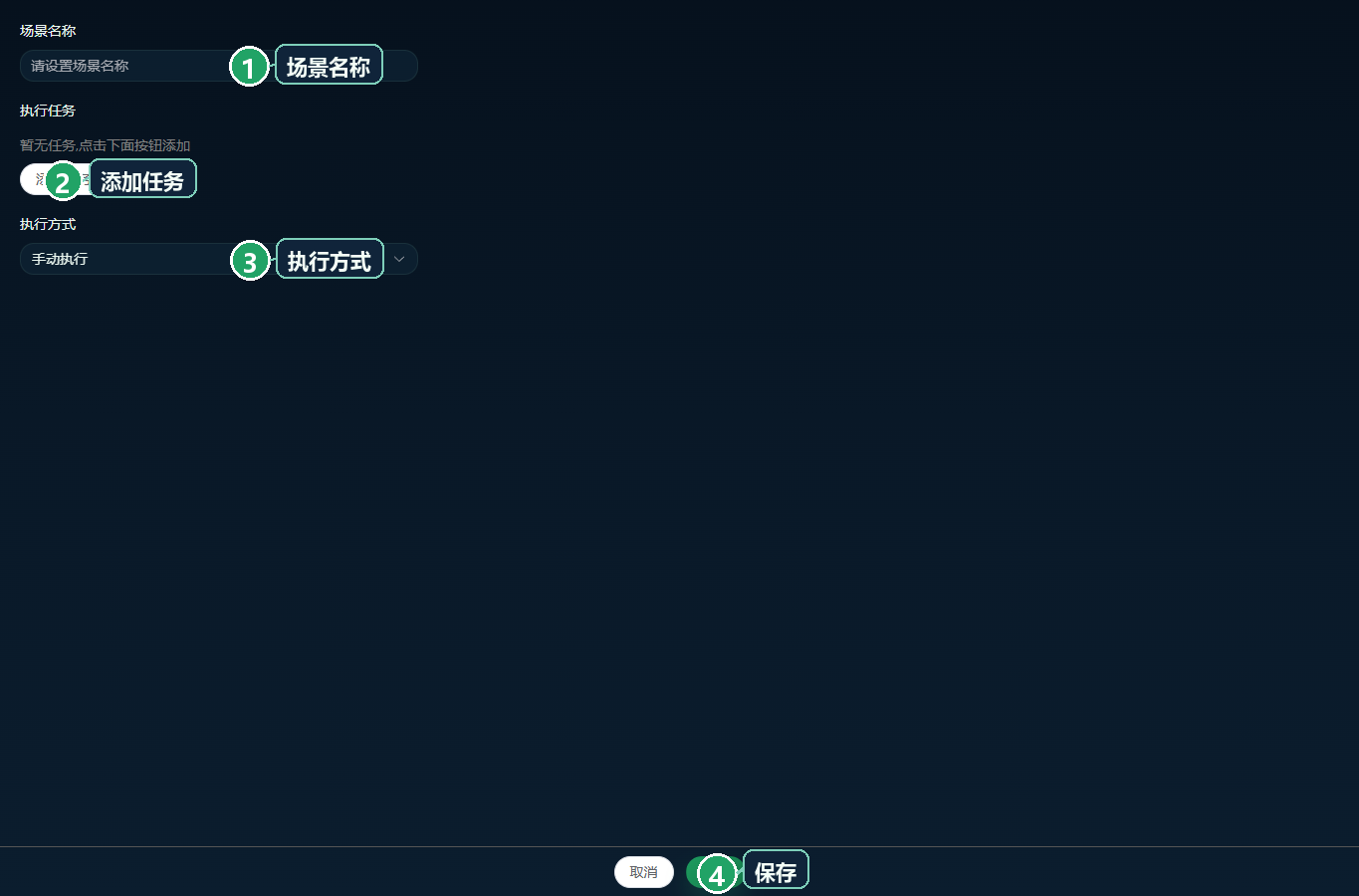
Schedules apply time-based actions, while scenes combine channels into opening, cleaning, duty or closing operations. The client supplies management interfaces; device model and firmware determine available actions and local execution. Clear task names, zones and permissions make policies easier to operate and review through states and logs.
Management client schedule interface with device, time and weekday fields
03
Connect access roles, states and records
Operations require clear device access, connectivity visibility and action history alongside controls. Account permissions, groups, logs and data records support duty checks, remote actions and exception review. Mobile access suits quick field work, while desktop views suit centralized configuration. Projects can tailor interfaces, device models and private deployment.
Management client scene name, task and execution-mode interface
Selection questions
Can one platform manage controls and acquisition?
Yes. Device models can cover relays, industrial IO, sensors, meters and weighing equipment with the corresponding controls and points.
Does a platform schedule imply every device executes offline?
No. Management and on-device execution are separate layers. Offline behavior depends on model, firmware and configuration.
Selection FAQ
How should this product be selected?Selection normally starts from the field object: control loop, input signal, sensor type, weighing point, meter circuit, communication method and platform requirement.
Can it connect to an IoT platform?Zhenming products can be combined with platform functions for remote control, status viewing, schedules, alarms, logs and data management.
Is private deployment supported?Private deployment and system integration can be planned according to project scale, network condition, interface scope and maintenance workflow.
Permissions, alarms and operations
Roles and scope
Group sites, buildings and equipment and assign operator scopes by role.
Events and integration
Connect abnormal conditions, operations and recovery records with authorized video and business interfaces.