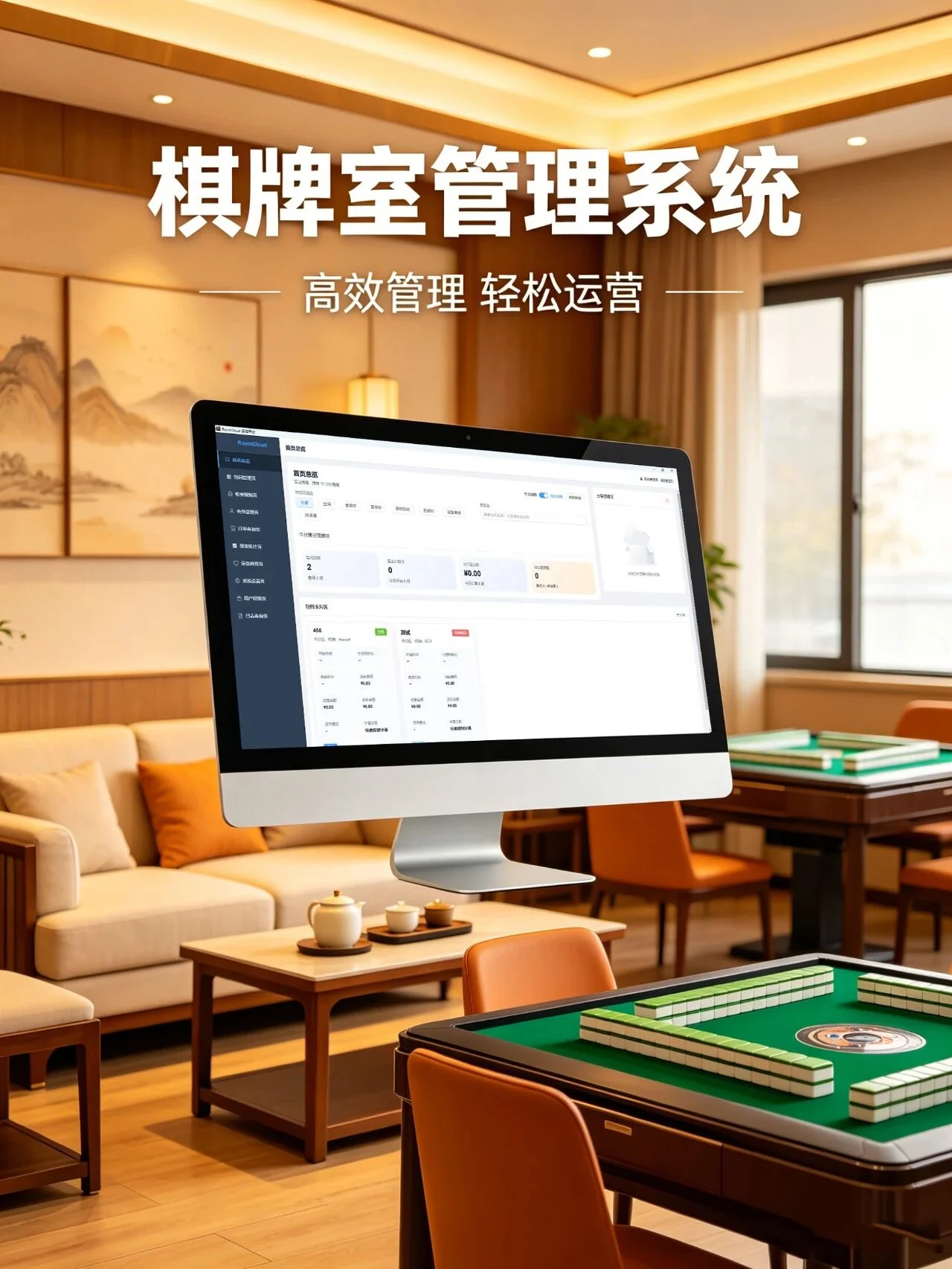
01Connect room sessions, billing and settlement
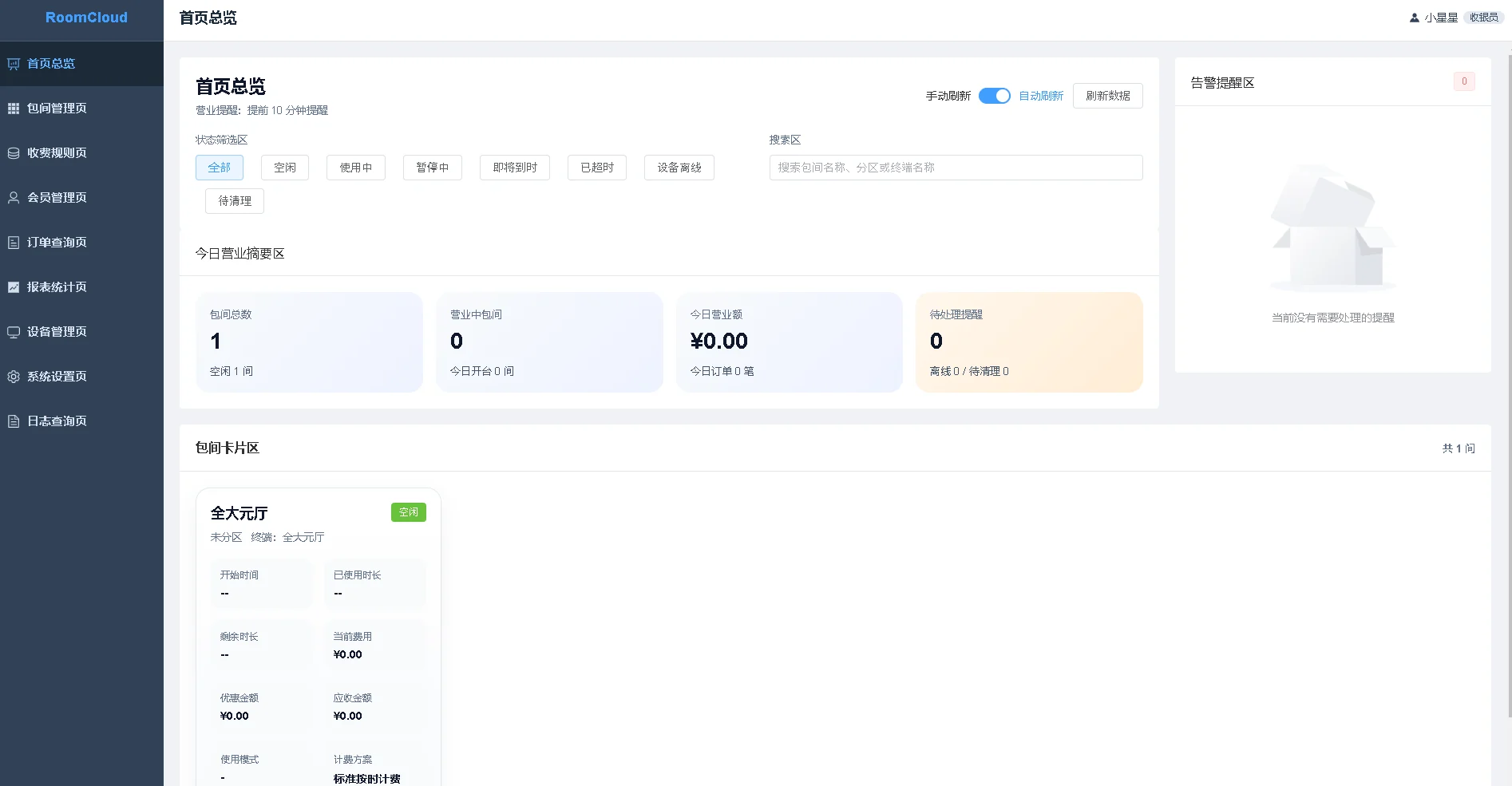
RoomCtr runs locally on Windows and organizes operations around rooms and sessions. Staff open an available room, manage time and member or order activity, then settle the session with payment and operation records. A consistent configuration of rooms, charging rules and staff permissions supports chess, mahjong and tea-room operations.
02Map business events to lighting, AC and main power
Link session events to configured control channels. RoomCtr handles the business process; network relay controllers execute lighting, suitable AC control interfaces or main-power actions. Optional energy acquisition supplies a separate consumption view. A room-to-controller register helps staff operate the right equipment and identify the scope of a connectivity issue.
03Use reports, permissions and backup for handover
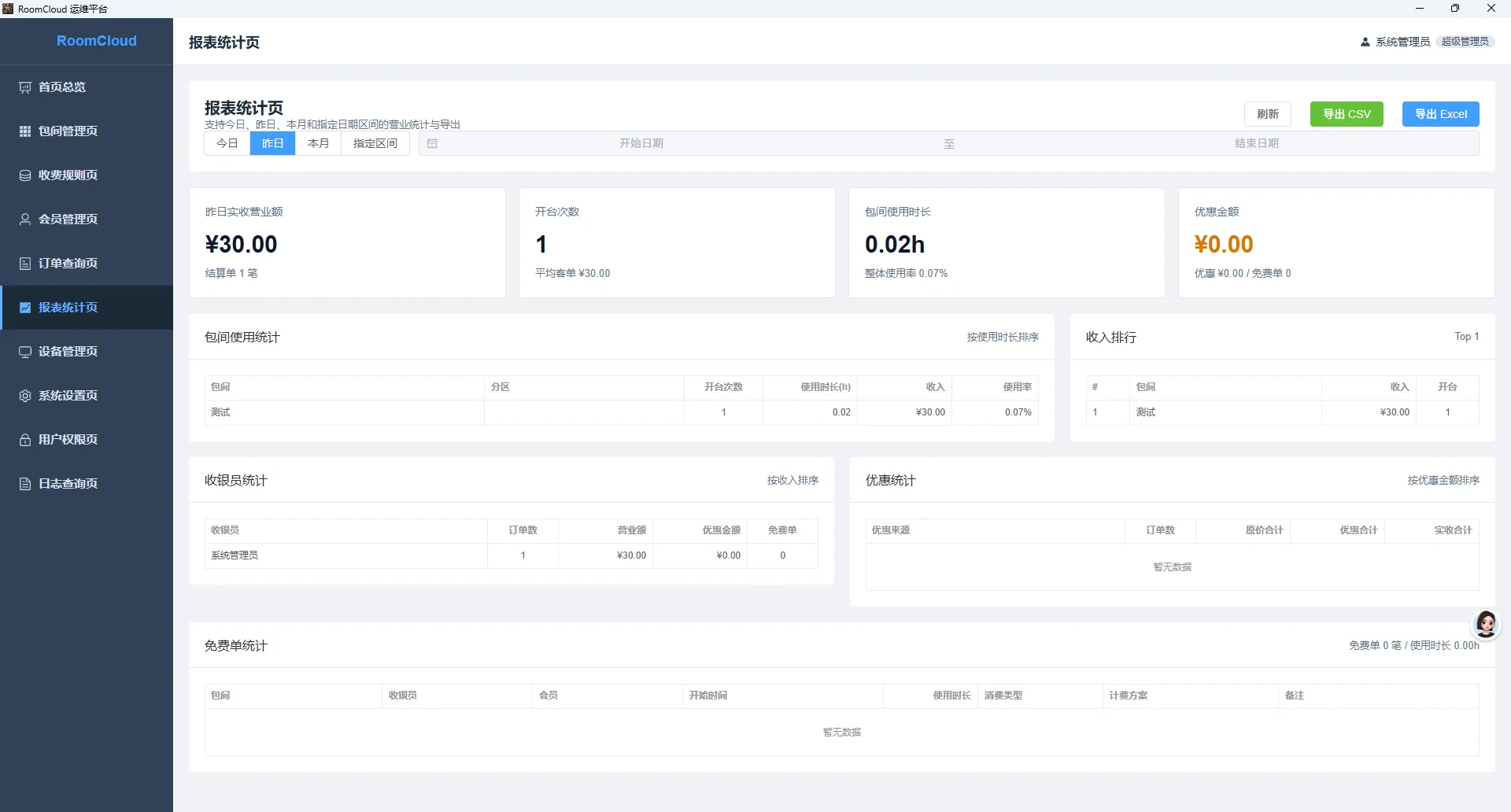
Revenue, room duration, cashier and discount reports support operating review, with Excel or CSV export for further work. Staff permissions govern key actions, logs retain business and device events, and local backup preserves data. Shift handovers can correlate orders, payments, equipment states and exceptions through a continuous record.
04Organize daily work by role and retain operating records
Front-desk staff handle room sessions, extensions, room changes and settlement, while managers review orders, member records and business reports. Role permissions and operation logs help staff trace room sessions and actions during handover. Configure hardware control channels by room and review session records separately from the actual state of lighting, air conditioning or room power.
05Plan local business data and connected services separately
RoomCtr organizes rooms, orders and business records on an in-store Windows computer, with local backups for data retention. Plan backups around daily handover, upgrades and computer replacement; keep a separate copy and verify restoration. Online payments, remote access and external services use their corresponding networks and deployment arrangements. Local operation does not imply offline availability for every connected service.