RS485 86-Type Smart Switch Panel
The wall panel provides local operation and scene selection; relay controllers switch the loads. Plan panel positions, key count and circuits before adding network control or dimming.
View product detailsRS485 capacitive touch display panel series covering 4-inch 86-panel, 7-inch, 7-inch dual-86 and 10-inch screens for smart lighting, building panels, equipment HMI, custom scenes and local data dashboards.
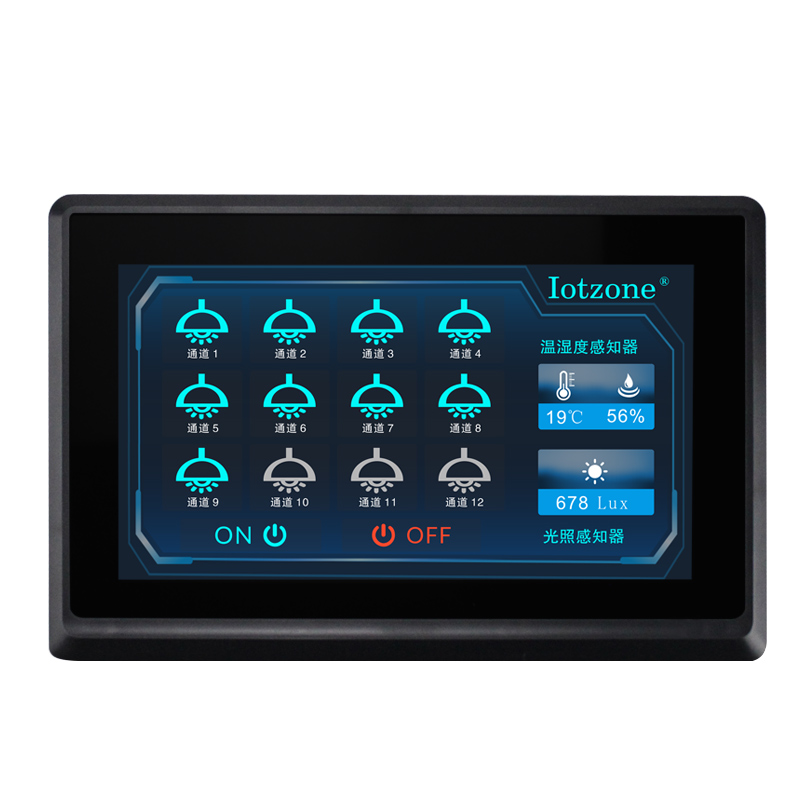
Tax-inclusive reference prices in CNY. Negotiable; the quotation reflects the selected configuration, quantity and delivery requirements. All products carry a 3-year warranty.
| Model | Configuration | Reference price | Enquiry |
|---|---|---|---|
| ZMLCD-86PANEL | 4-inch 86-format touchscreen; RS485; connector and power adapter included | CNY 500 | Add to quote list |
| 双86液晶触摸屏 | Dual-86 touchscreen; RS485 | CNY 600 | Add to quote list |
| 7寸液晶触摸屏 | 7-inch touchscreen; RS485 | CNY 600 | Add to quote list |
| 10寸液晶触摸屏 | 10-inch touchscreen; RS485 | CNY 828 | Add to quote list |
For a complete system, include the power supply, sensors, communication access and platform deployment in your enquiry.
RS485 capacitive touch display panel series covering 4-inch 86-panel, 7-inch, 7-inch dual-86 and 10-inch screens for smart lighting, building panels, equipment HMI, custom scenes and local data dashboards.
The page is written for engineering companies, system integrators, device manufacturers and B2B project procurement teams.
ZMLCD panels can organize lighting zones, individual channels, all-on/off actions, dimming, machine groups, scenes, permissions, environment data and energy dashboards. Relay controllers, ZMSR0004-1G, RS485 sensors, energy acquisition and platform functions can be combined around the selected interface.
The touch panel provides local interfaces, state displays and scene operation. Controllers handle circuit loads and acquisition devices supply environmental and energy data for the interface.
The wall panel provides local operation and scene selection; relay controllers switch the loads. Plan panel positions, key count and circuits before adding network control or dimming.
View product detailsQC8 provides multi-circuit high-power latching switching. Select by actual loads and circuits; brightness adjustment and energy measurements still require the corresponding dimming and metering devices.
View product details| Processor | 400M SoC processor |
|---|---|
| Touch technology | Capacitive touch |
| Display orientation | 0°, 90°, 180° and 270° display rotation |
| Storage | 128Mbit |
| Supply range | 4.5–30V |
| Communication | RS485 |
| Baud rate | 1200–115200bps; typical 9600bps |
| Local image download | SD card or serial; 10-inch model also supports USB flash drive |
| Firmware update | Local update; user mainboard can update panel firmware through serial connection |
| Operating temperature | -20 to 70°C |
| Storage temperature | -30 to 80°C |
| ZMLCD-86PANEL — screen size | 4.0 inches |
| ZMLCD-86PANEL — resolution | 480×480 |
| ZMLCD-86PANEL — dimensions | 86.0×86.0×27.3mm |
| ZMLCD-86PANEL — active display area | 71.9×70.2mm |
| ZMLCD-86PANEL — terminal specification | 3.81-4P terminals |
| ZMLCD 7-inch — screen size | 7.0 inches |
| ZMLCD 7-inch — resolution | 800×480 |
| ZMLCD 7-inch — dimensions | 210×149.8×26.3mm |
| ZMLCD 7-inch — active display area | 153.2×85.7mm |
| ZMLCD 7-inch — terminal specification | 3.81-6P terminals |
| ZMLCD 7-inch dual-86 — screen size | 7.0 inches |
| ZMLCD 7-inch dual-86 — resolution | 800×480 |
| ZMLCD 7-inch dual-86 — dimensions | 184×118×23.2mm |
| ZMLCD 7-inch dual-86 — active display area | 153.7×86.2mm |
| ZMLCD 7-inch dual-86 — terminal specification | 3.81-6P terminals |
| ZMLCD-M01010 — screen size | 10.0 inches |
| ZMLCD-M01010 — resolution | 600×1024 |
| ZMLCD-M01010 — dimensions | 280.5×191.5×34.0mm |
| ZMLCD-M01010 — active display area | 222.6×125.3mm |
| ZMLCD-M01010 — terminal specification | PH2.0-4P terminals |
ZMLCD includes 4-inch 86-type, 7-inch, 7-inch dual-86 and 10-inch capacitive panels. Compact panels suit wall scene entry, while larger screens accommodate more circuits and measurements. Select mounting form, viewing distance and information density together, with a clear local operating task for each page.
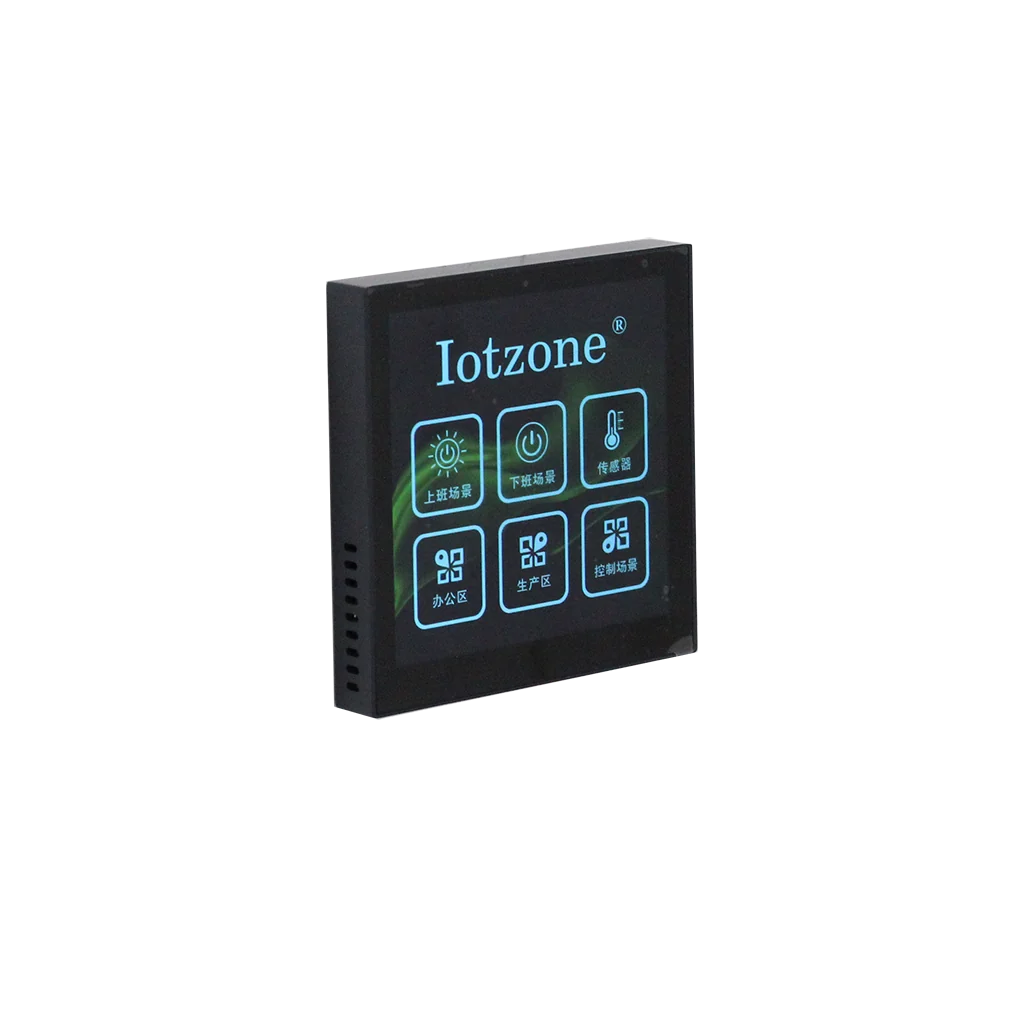
RS485 exchanges data with matched controllers, sensors and meters. Lighting pages can present zones and scenes; environmental pages present measurements; equipment pages summarize operating states. Map each button and value to a specific device, channel and protocol meaning. The panel handles interaction, relays execute switching and acquisition devices measure.
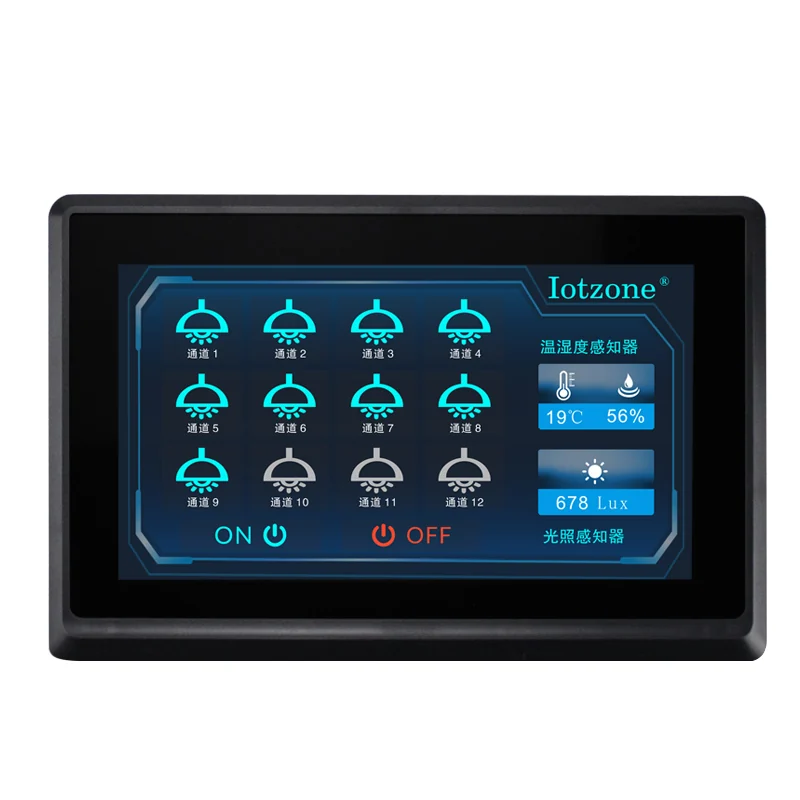
Organize pages by zone, equipment and scene, with clear paths to circuit, brightness, environment or energy detail. Project customization can cover branding, icons, text, page hierarchy and access roles. Keep names consistent across panels. Meeting rooms emphasize scenes; machinery emphasizes states and actions; compact spaces require careful information density.
Screen size defines presentation and mounting, while connected controllers, acquisition devices and protocols define the actual functions. Start with equipment and point lists, then map routine scenes, exceptions and maintenance information to page layouts. This supports retrofit and staged expansion with clear responsibilities between panel, field hardware and platform.
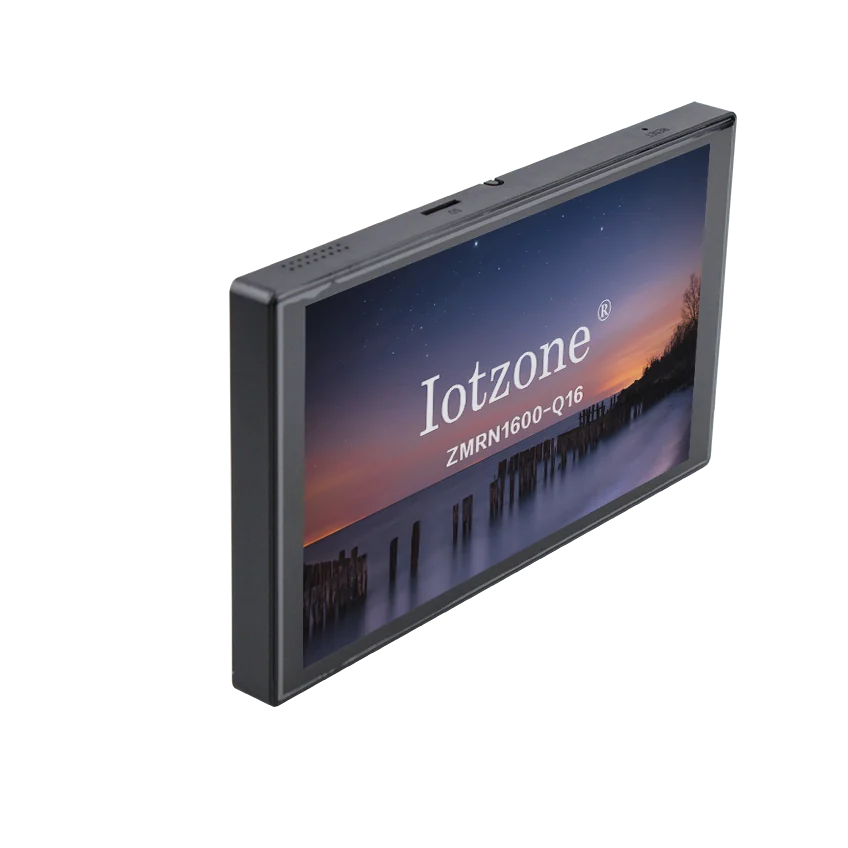
No. The panel handles display and interaction. The paired controller determines circuit count and load capability.
Yes. Combine matched sensors, meters or acquisition devices and map their actual points to the custom pages.
Yes. Branding, page structure, icons, scenes and data interaction can be tailored around the equipment and point lists.
Call us or leave your contact details for product selection and project enquiries.
Call us+86 16605298829Taobao Store ↗Open the Zhenming IoT platform, product documentation or official Taobao store.