Zhenming Electronics
Access records · Public lighting · Machine rooms · Inspection · Energy

Smart Property Management Solution

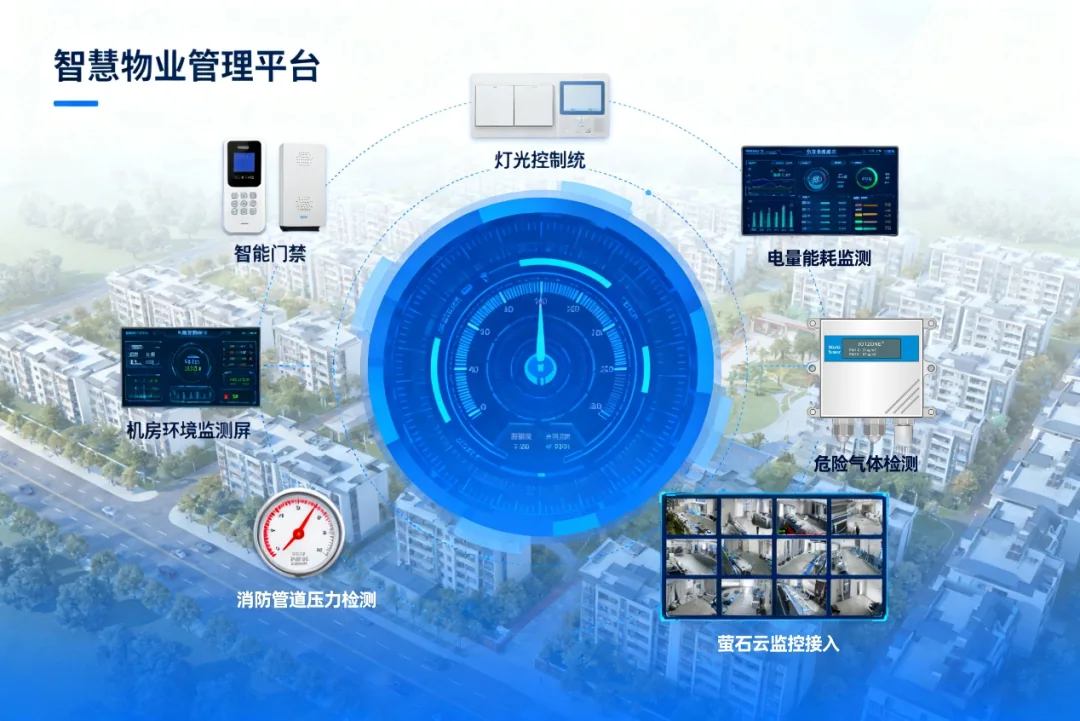
Connect property equipment, safety monitoring and energy operations in one management view. Zhenming controllers, sensors, IO modules, meters, touch panels and IoT platform functions cover lighting execution, field acquisition, alarms, logs and remote maintenance.

Smart property platform connecting access control, lighting, machine rooms, fire monitoring and video

Four Management Dimensions

AreasBuildings, floors, rooms, equipment areas and circuits.
PoliciesSchedules, sunrise and sunset, holidays and scenes.
AlarmsEnvironment, gas, pressure and equipment status.
ClosureInspection, repair, energy review and operation records.

Access Records and Public Lighting

Use authorized access records to review entry into machine rooms and other controlled areas. Public lighting is organized by area and circuit, with schedules, sunrise and sunset logic, holiday calendars and reusable scenes.

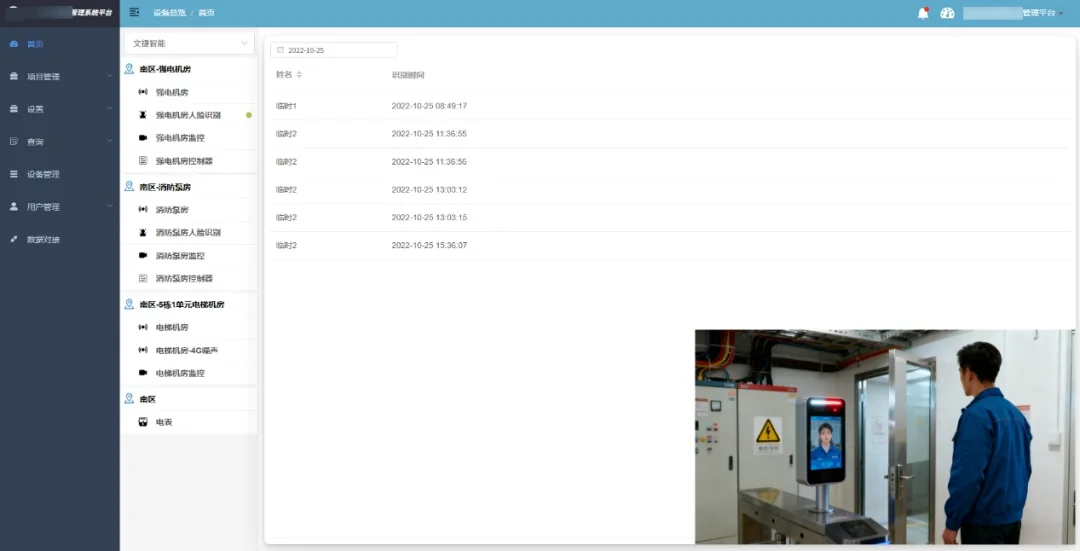
Property access-control personnel and entry record interface
Personnel and entry records by controlled area
Public lighting schedule, holiday and scene strategy interface
Regular schedules and holiday strategies for lighting groups

Machine-Room Environment and Safety Monitoring

Combine compatible sensors and input modules for temperature, humidity, hydrogen sulfide, carbon monoxide, noise, fire-pipe pressure and equipment status. Site-specific thresholds generate alarms and traceable handling records.

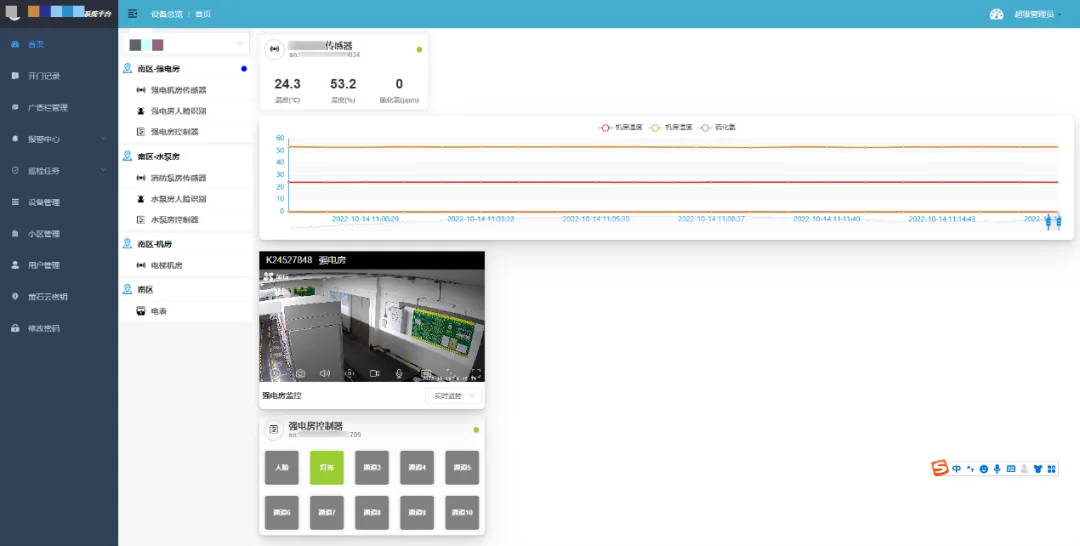
Machine-room temperature humidity gas and noise monitoring interface
Machine-room environment curves and device views
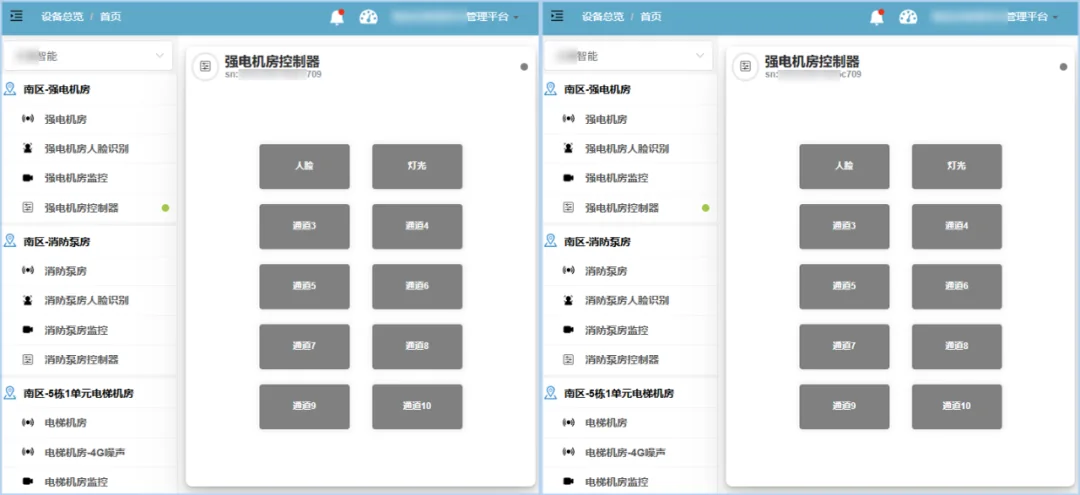
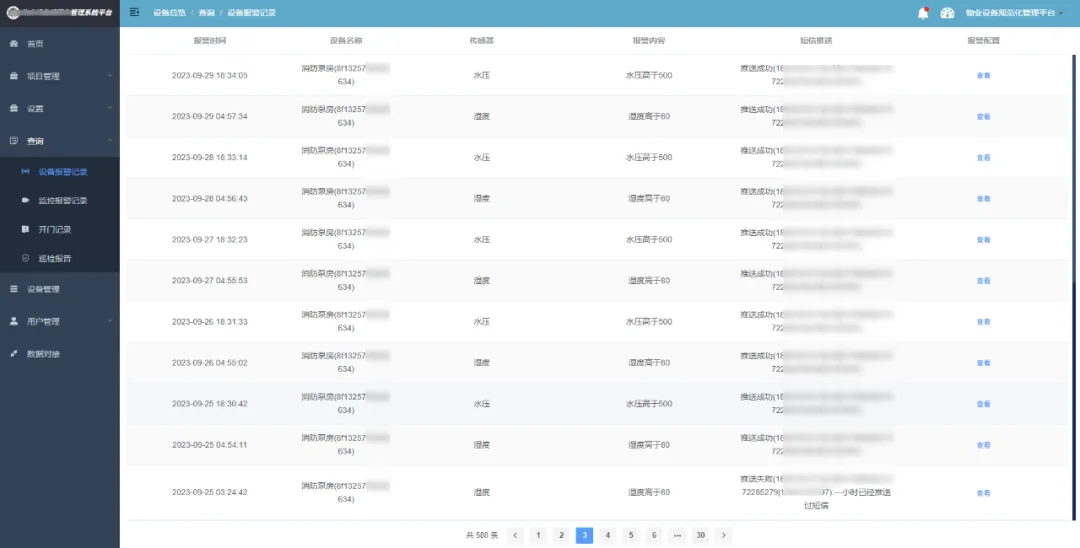
Property equipment alarm records and handling status interface
Alarm time, source, content and handling status

Video, Inspection and Repair Coordination

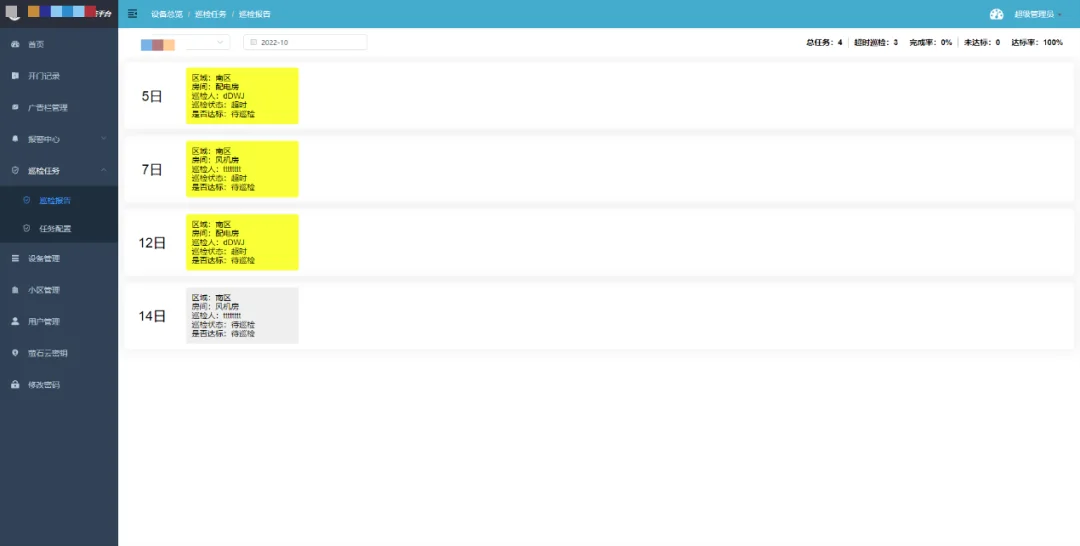
Authorized third-party video can be associated with property areas. Inspection routes, issue reporting, repair assignment and closure records connect a visible event with the responsible workflow.

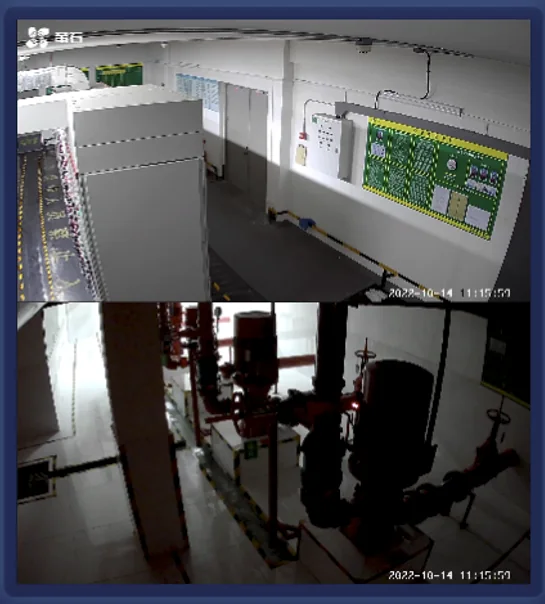
Multi-area property video monitoring interface
Authorized video views associated with property areas
Property inspection issue reporting and repair workflow interface
Inspection tasks, issue reporting and repair closure

Zone Energy Management

Connect equipment operation with energy evidence

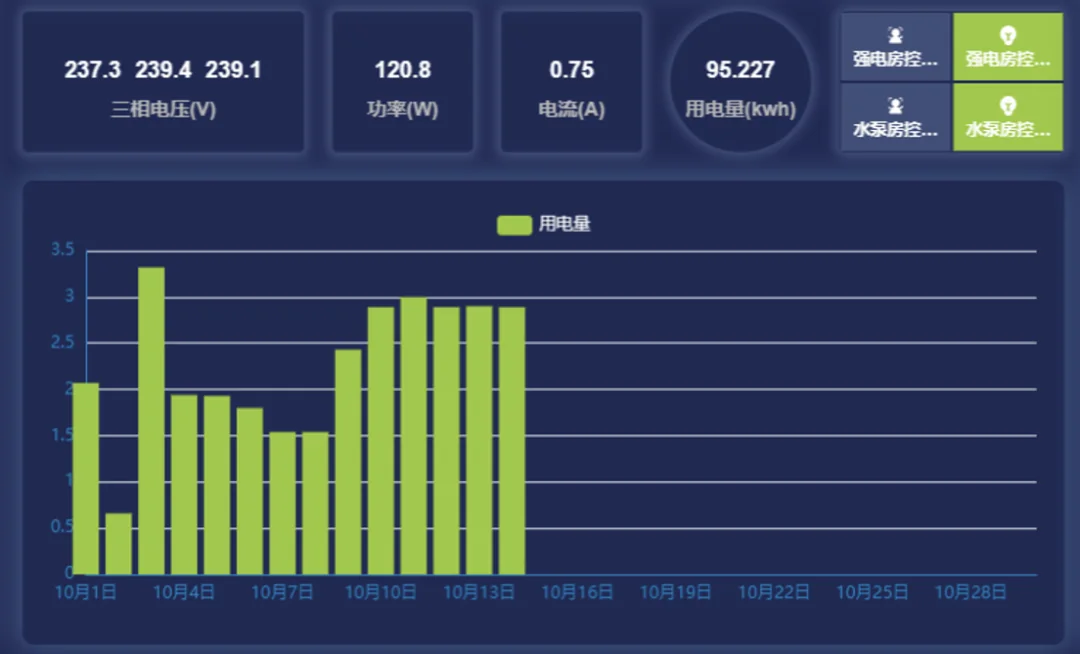
Voltage, current, power and energy can be organized by area, cabinet, circuit and time. Trend comparison helps review lighting policies, long-running equipment and abnormal consumption without treating one percentage as a guaranteed result.

Property zone voltage current power and energy dashboard
Compare energy by zone, circuit and time period

System Flow

Property AreasBuildings, floors, rooms, machine rooms and public spaces.
Field DevicesControllers, sensors, IO modules, meters and touch panels.
CommunicationRS485, Ethernet, 4G and authorized third-party interfaces.
IoT PlatformGroups, policies, alarms, logs, dashboards and permissions.
OperationsInspection, repair, closure, energy review and reporting.

Zhenming Product Combination

QCL / ZMRN Q relay controllersExecute public lighting and ordinary equipment circuit switching, grouping and schedules.
Digital input modulesCollect contacts, equipment states and alarm signals for visible status management.
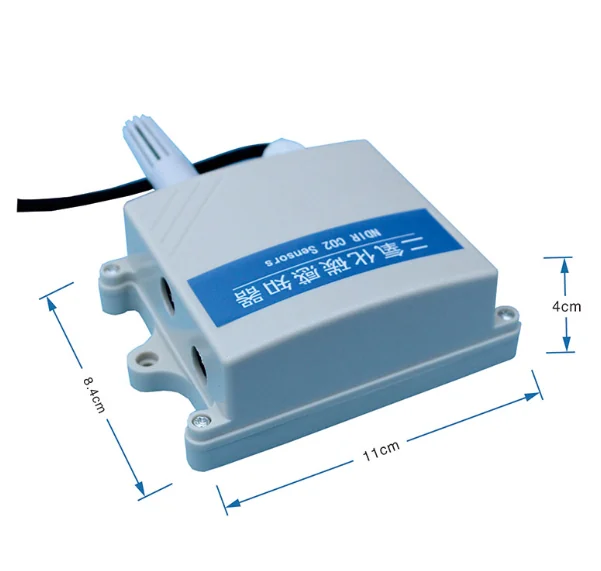
ZMSRCTHProvides selected environment and gas sensing points according to project configuration.
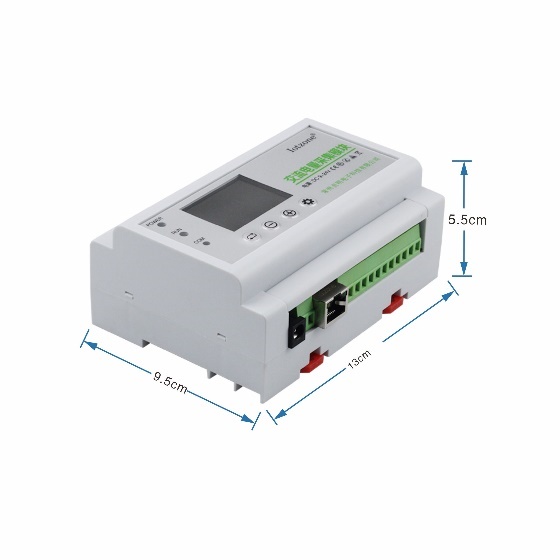
ZMSG1212-12S3Collects multi-circuit voltage, current, power and energy for zone review.
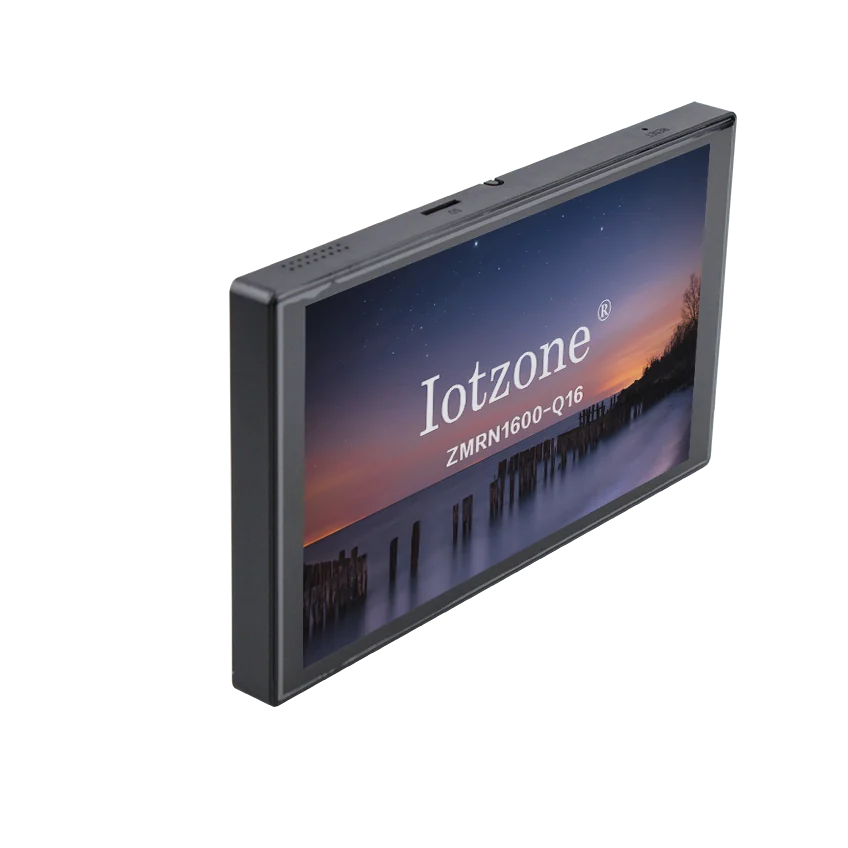
ZMLCDProvides a local interface for equipment states, scenes, environment and energy data.
IoT platformSupports device groups, policies, alarms, logs, dashboards and private deployment.

Quantifiable Operating Indicators

Use operating records to measure management quality by project scale and policy, rather than using a fixed saving or efficiency claim.

Device online rateControllers, sensors, meters and gateways by area.
Alarm handling timeFrom event generation to acknowledgement and closure.
Inspection completionRoute execution, missed tasks, reported issues and repair closure.
Zone energy trendsCompare buildings, floors, cabinets, circuits and time periods.

Integration and Safety Boundary

Access control and video are connected only through authorized third-party interfaces. Fire protection, emergency lighting and other life-safety systems remain independently designed and operated; this platform supports monitoring, alarm records and maintenance coordination within the approved scope.

Application design and operating strategy

01

Use one area model for buildings, plant rooms and shared space

Create an asset model by building, floor, plant room and shared area, associating lighting circuits, environmental sensors, meters and equipment states with each object. Record location, purpose and service responsibility, using the same hierarchy for alarms and energy. Where authorized access or video interfaces are linked, consistent area names connect an incident to its location, equipment and handling record.

ZMSRCTH multifunction environmental sensor
02

Coordinate duty, cleaning and maintenance responsibilities

Run common lighting around daily, holiday and night needs while configured sensors acquire plant-room temperature, humidity, gases or pressure. Duty staff review area conditions, maintenance investigates equipment and alarms, and managers review policies and energy with appropriate permissions. Record temporary service and manual switching, then check feedback and policy resumption to reduce omissions between shifts.

ZMLCD seven-inch dual-86 touchscreen panel
03

Connect repair closure with area energy review

Recurring alarms, persistent lighting and unusual consumption can trigger inspection, with cause, action and review retained after service. Compare area energy with operating periods to examine changes after replacement or policy adjustment. Start with key plant rooms or public areas, then extend authorized access/video links, inspection and reporting within the same asset and permission model.

ZMSG1212-12S3 twelve-circuit energy acquisition module

Selection questions

Can an existing property system remain in use?

Yes. Authorized interfaces can connect existing systems, with defined relationships and responsibilities for equipment, areas, alarms and energy.

Where can a phased retrofit start?

Begin with public lighting, key plant rooms or one building, establishing the register, status and alarm workflow before extending the same structure.

Frequently Asked Questions

Can the solution connect to an existing access-control system?Yes. Access events and personnel records can be connected through an authorized interface or data exchange supported by the existing system. The integration scope follows the available API and project permissions.
How are public-area lighting policies organized?Circuits can be grouped by building, floor and area, then managed with regular schedules, sunrise and sunset logic, holiday calendars, local control and reusable scenes.
What can be monitored in machine rooms and basements?Projects can combine temperature, humidity, hydrogen sulfide, carbon monoxide, noise, pipe pressure, digital status and other compatible sensing points. Alarm thresholds are configured for the actual site.
Does the platform replace fire-control or emergency systems?No. Fire protection, emergency lighting and life-safety systems remain independent. The property platform is used for authorized status monitoring, alarms, records and maintenance coordination.
Can video, inspection and energy data be managed together?Authorized third-party video can be linked with equipment areas, while inspection tasks, repair closure and zone energy data are presented as related operating records.
Plan property management around areas, points and workflows

Provide the building areas, equipment list, sensing points, existing interfaces and deployment requirements for a project combination.

Contact +86 16605298829

Contact Zhenming Electronics

Call us or leave your contact details for product selection and project enquiries.

Call us+86 16605298829Taobao Store ↗
Quote list 0