Local wall control · Multi-way switching · Lighting scenes · Platform coordination
RS485 Wall Panel and Relay Controller Smart Lighting Solution
For classrooms, hotels, apartments, offices, unmanned venues, exhibition halls and public spaces, this solution combines 2, 4 or 6-key RS485 wall panels with Zhenming relay controllers for local operation, multi-way switching, zoned lighting, scene control and remote management.
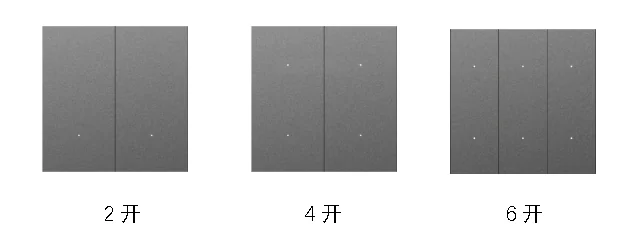
Three panel optionsSelect 2, 4 or 6 keys by circuit and scene count
Multi-position operationCoordinate entrances, bedside positions, corridors and control rooms
Scene-based controlSingle circuits, all-on/all-off and multi-channel combinations
System expansionAdd controllers, energy acquisition, schedules and platform operations
Application Overview
Conventional mains wall switches work well for one-point circuit control, but multi-way switching and scene changes require more wiring and fixed logic. This architecture uses low-voltage wall panels as local operation points, keeps load switching in Zhenming controllers and can add schedules, energy data and remote operations.
Classrooms and meeting roomsOperate podium, seating, presentation and general lighting with teaching, meeting and cleaning scenes.Hotels and apartmentsUse entrance, bedside and corridor panels for multi-way circuit and scene control.Unmanned venues and study roomsKeep authorized local operation while booking, access and schedules automate daily use.Exhibition and commercial spacesRun opening, guided tour, event, cleaning and closing lighting combinations.
System Flow
Business events, field control, acquisition and platform operations remain clearly separated and connected through project interfaces.
RS485 wall panelsLocal keys, multi-way operation and scene input
Zhenming relay controllersInterpret panel actions and execute relay outputs
Lighting and equipment circuitsLuminaires, contactors and controllable auxiliary loads
Energy and status acquisitionCircuit current, energy and equipment status feedback
IoT platformGroups, schedules, scenes, logs and remote maintenance
Operating Strategies
Basic switchingMap each key to one lighting or equipment circuit.
State toggleOperate the same circuit from different panel positions.
All-on/all-offUse one key to control multiple circuits in the current space.
Combined scenesCreate welcome, class, meeting, cleaning, duty and leaving states.
Schedule coordinationRun by timetable, business hours or holiday policy.
Remote inspectionReview controller status, circuits, logs and energy data centrally.
Zhenming Product Combination
Controllers execute switching and linkage, inputs collect field events, panels provide local operation, sensors and meters return field data, and the platform manages schedules, scenes, logs and permissions.
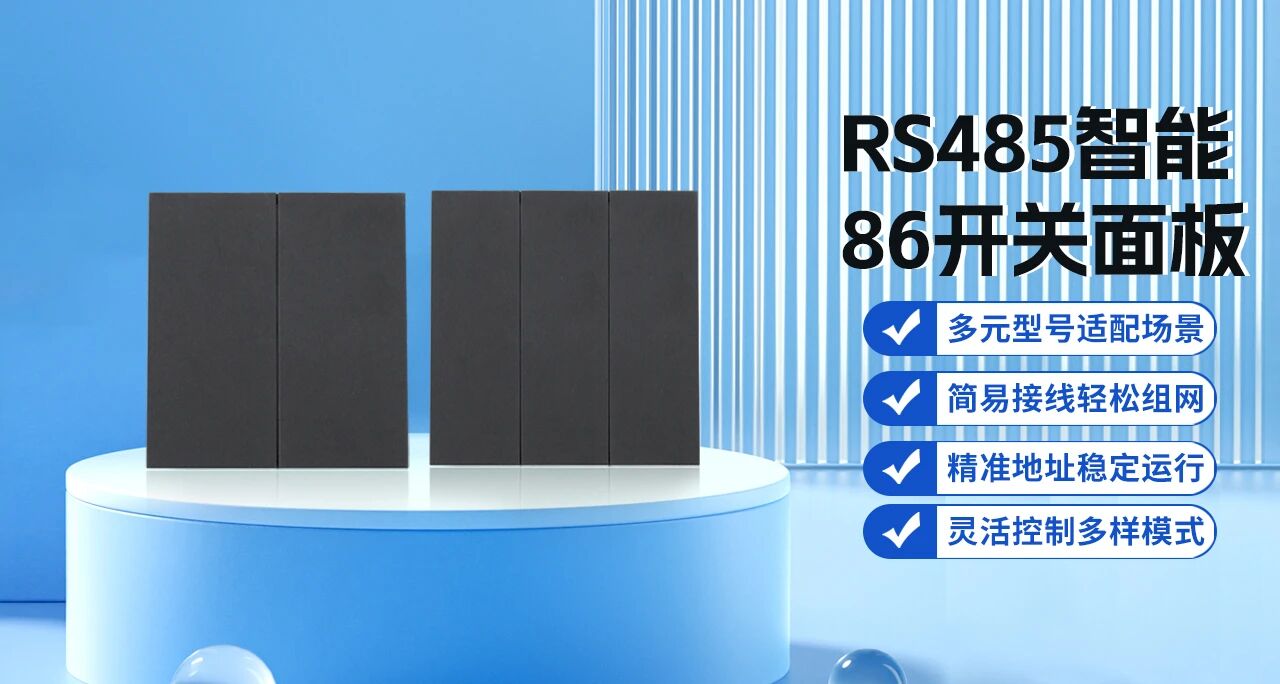
RS485 86-Type Smart Switch PanelProvides 2, 4 or 6 local keys for multi-way switching, all-on/all-off and multi-circuit scenes.View product
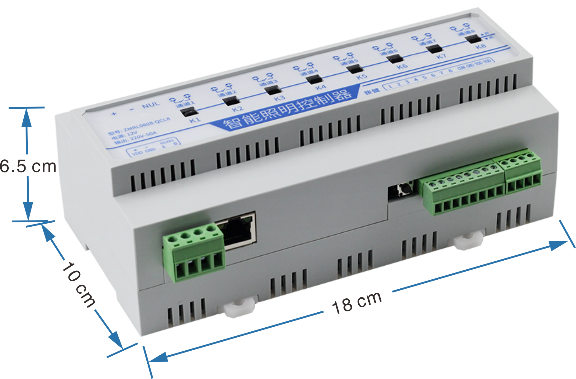
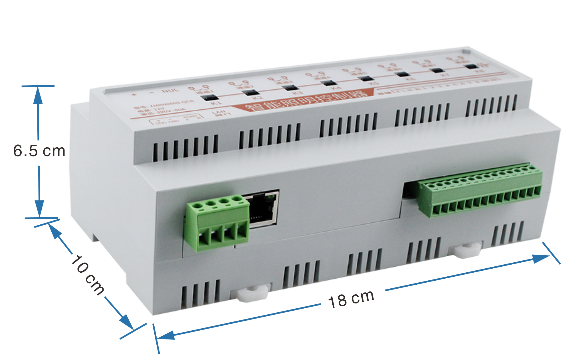
ZMRL QCL Network Relay Controller SeriesProvides 4, 8 or 12 channels for zoned lighting, field inputs and equipment linkage.View product
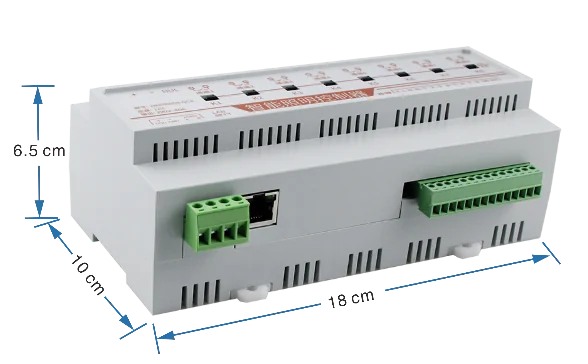
ZMRN0808-QC8 50A Latching Relay ControllerControls high-power lighting and equipment circuits through local input, network and protocol access.View product
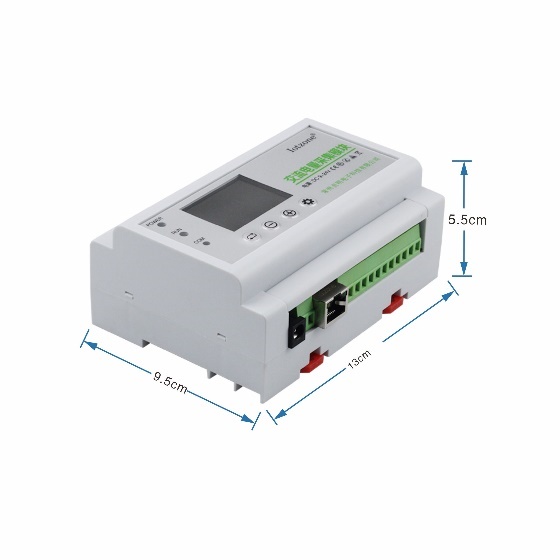
ZMSG1212-12S3 Multi-Circuit Energy AcquisitionCollects current, power and energy data from multiple lighting circuits in buildings and venues.View product
IoT Centralized Management PlatformOrganizes devices by venue, building, floor and area with schedules, scenes, logs, permissions and remote maintenance.View product
PLATFORM AND PRIVATE DEPLOYMENT
Turn field control into a manageable operating process
The Zhenming platform organizes devices by project, building, venue, floor and area. Schedules, scenes, device status, logs and account permissions help operators manage distributed sites and support customer-system integration.
Device groupsSchedules and scenesOperation logsRole permissionsHTTP/MQTT integrationPrivate deployment
Panels provide local input while controllers switch the loads
The RS485 86-type smart switch panel uses 12V low-voltage dry-contact output and does not directly switch lighting or equipment loads. Select the relay controller according to circuit count, load type and network requirements, with suitable execution devices for high-power, inductive or capacitive loads.
Customer Value
Simpler multi-way wiringUse panel addresses and control logic to operate the same circuit from several locations.Flexible scene changesRemap keys from single circuits to multi-channel combinations as operations change.Local and remote operationProvide clear field controls and centralized platform inspection.Phased upgradesStart with one room or cabinet, then add panels, energy and platform functions.
Application design and operating strategy
01
Plan panel locations and buttons around room use
Place panels at entrances, bedsides, lecterns or duty positions in classrooms, guest rooms, offices and exhibition spaces, choosing two, four or six buttons around daily use. Map buttons to single circuits, toggles or scenes, with multiple panels controlling shared circuits where needed. Retain panel names, addresses and button purposes so changes of use or panel replacement preserve familiar operation.
Two-, four- and six-button RS485 86-format wall panels
02
Separate low-voltage operation from load execution
The RS485 panel is a low-voltage operating interface; a compatible controller executes lighting and equipment circuits. Plan supply, bus and addressing for the system and map cabinet circuits to room buttons. Use matched execution circuits for larger or unusual loads, while retaining the same button and scene logic so differences inside the cabinet do not complicate everyday operation.
ZMRN0808-QC8 network relay controller
03
Coordinate scene buttons with platform schedules
Configure single-circuit, all-on/off, meeting, presentation and cleaning scenes by room. Platform schedules cover routine hours while panels handle temporary use. Use controller state and feedback as the common reference when several entrances operate one circuit. Verify every button, channel and scene, including the return between panel actions and scheduled operation, so shared spaces remain understandable for different users.
Selection questions
Do two-way and multi-way controls require more mains switch wiring?
Panels work with the controller through the low-voltage system. Several addressed panels can operate the same circuit through configured button logic, with wiring planned for the selected combination.
Can button functions change with the room layout?
Individual channels and scenes can be remapped, with panel labels and the register updated so field operation remains consistent with configuration.
Frequently Asked Questions
Can it use an existing 86-type wall box?
The panel uses an 86-type wall format. Installation planning should consider box depth, low-voltage wiring and the site finish.
How many panels can connect to one controller?
A compatible controller can connect up to eight panels. With six keys per panel, the system can organize up to 48 button actions.
How should the relay controller be selected?
Select Q series, RC series, QC8 or another compatible controller according to circuit count, load type, Ethernet or 4G access, platform and energy requirements.
Can it integrate with an existing BMS or platform?
Integration can use RS485, Ethernet, HTTP, MQTT, Modbus or project interfaces according to the selected controller and architecture.
Plan a solution around circuits, events and operations
Provide the site layout, circuit count, existing systems, communication conditions and deployment requirements for product selection.